Create
a new project in Xcode
Add project from “IOKit Driver” template
Modify
the plist
This file likes the Inf of window drivers. Then
add HBA information.
To add the libraries
Loading
kernel extension at boot time
If the driver would like to support
booting, that need add into “Local-Root”
Implement
[driver entry]
No support virtual memory, only physical
memory. So driver can use it to prepare task directly.
• Inherit from class IOSCSIParallelInterfaceController
• InitializeController / StartController
– driver_init / driver_probe_one
• TerminateController / StopController [unload driver]
– driver_exit / driver_detach_one
• ReportInitiatorIdentifier
– (struct Scsi_Host *)->unique_id
• ReportHighestSupportedDeviceID [Max
Device ID]
– (struct Scsi_Host *)->max_id - 1
• ReportMaximumTaskCount
– (struct Scsi_Host *)-> can_queue
• ReportHBAHighestLogicalUnitNumber [Max LUN]
– (struct Scsi_Host *)->max_lun - 1
• ReportHBASpecificTaskDataSize [Resource
size per Request]
• ReportHBASpecificDeviceDataSize [Resource
size per Device]
• DoesHBAPerformDeviceManagement [Scan
every device behind HBA, driver has to
add/remove single device by itself]
• DoesHBASupportSCSIParallelFeature
• ProcessParallelTask [driver_queue_command]
• FilterInterruptRequest / HandleInterruptRequest [driver_isr_handler]
• InitializeTargetForID =>[No
Supported]
Implement
in second step
• AbortTaskRequest
• AbortTaskSetRequest
• ClearACARequest
• ClearTaskSetRequest
• LogicalUnitResetRequest
• TargetResetRequest
• HandleTimeout (Optional)
• ReportHBAConstraints (Optional)
=> [to support 64bits need handle this function]
• InitializeDMASpecification (Optional)
OS X
kernel / Linux functions
table
Linux
|
OS X
|
printk
|
IOLog
|
pci_iomap
|
mapDeviceMemoryWithIndex
|
pci_iounmap
|
(IOMemoryMap
*)->release
|
pci_set_master
|
setBusMasterEnable
|
pci_set_dma_mask
|
initWithSpecification
|
kzalloc
|
IOMalloc
|
kfree
|
IOFree
|
INIT_LIST_HEAD
|
queue_init
|
list_add_tail
|
queue_enter
|
list_for_each_entry
|
queue_iterate
|
list_del
|
queue_remove
|
list_empty
|
queue_empty
|
list_first_entry
|
queue_first
|
scsi_sg_count
|
(IODMACommand
*)->fNumSegments
|
scsi_sglist
|
(IODMACommand
*)->gen64IOVMSegments
|
scsi_bufflen
|
GetRequestedDataTransferCount
|
sg_dma_address
|
GetDMACommand
|
cpu_to_le32
|
OSSwapHostToLittleConstInt32
|
pci_alloc_consistent
|
IOMallocContiguous
|
pci_free_consistent
|
IOFreeContiguous
|
pci_map_sg
|
(IODMACommand
*)->prepare
|
pci_unmap_sg
|
(IODMACommand
*)->complete
|
ioread32
|
ioRead32
|
iowrite32
|
ioWrite32
|
udelay
|
IODelay
|
msleep
|
IOSleep
|
spin_lock_irqsave
|
IOLockLock
|
spin_unlock_irqrestore
|
IOLockUnlock
|
do_gettimeofday
|
clock_get_calendar_microtime
|
scsi_add_device
|
CreateTargetForID
|
scsi_remove_device
|
DestroyTargetForID
|
scsi_device_lookup
|
GetTargetForID
|
pci_write_config_dword
|
configWrite32
|
virt_to_phys
|
(IOMemoryDescriptor
*)->getPhysicalAddress
|
(struct
scsi_cmnd *)->scsi_done
|
CompleteParallelTask
|
SAM_STAT_GOOD
|
kSCSITaskStatus_GOOD
|
SAM_STAT_CHECK_CONDITION
|
kSCSITaskStatus_CHECK_CONDITION
|
INQUIRY
|
kSCSICmd_INQUIRY
|
Support
device PNP
• IOSCSIParallelInterfaceController::DoesHBAPerformDeviceManagement()
– [return false]: made the handle of OS discover if that has any attached devices
been attaching.
– [return true]: driver needs to have a mechanism for detecting, adding and
removing devices.
• Create a thread in IOSCSIParallelInterfaceController::StartController()
to scan device from id 0 to (max target id -1 ) with INQUIRY command.
• Create a thread when get a bus change doorbell and scan all devices
again.
• If INQUIRY command status is GOOD: use CreateTargetForID() to add
device.
• ELSE use DestroyTargetForID() to remove device.
Register
power management for status change
• Driver MUST initialize power management; otherwise system can’t go
sleep successful.
–
PMinit();
–
joinPMtree();
–
registerPowerDriver();
• Implement IOSCSIParallelInterfaceController::setPowerState()
–
driver will receive a
notification when system get an event change for “SLEEP” or “WAKEUP”.
–
Implement IOSCSIParallelInterfaceController::systemWillShutdown
()
–
driver will receive a
notification when system get “RESTART” and “POWEROFF”.
Support 32bit/64bit kernel
• Build settings:
– Architectures: Standard (32/64-bit Intel)
– Build Active Architecture Only: No
• Starting up with the 32-bit or 64-bit kernel
– Method 1: Startup key combination
•
64-bit: holding the 6 and 4
keys during startup.
•
32-bit: holding the 3 and 2
keys during startup.
– Method 2: On-disk setting (persistent)
•
sudo systemsetup -setkernelbootarchitecture
x86_64
•
sudo systemsetup -setkernelbootarchitecture
i386
Virtual
Device for application
How to
do verification
• Load/Unload command:
– sudo cp –r mvumi.kext /tmp/mvumi.kext
– sudo kextload /tmp/mvumi.kext
– sudo kextunload /tmp/mvumi.kext
• Test tools
– rwfile
– AJA System Test
– Blackmagic Disk Speed Test
Boot
OS X from third-party HBA
• Mac OS X don’t provide a official method to insert driver during OS
installation.
• But we can “CLONE” a existing OS X to HBA and boot
from it.
– 1. Install driver to /System/Library/Extensions/
– 2. Restart OS and holding “option” key during startup
– 3. Select “Recovery HD” to boot
– 4. Open a terminal and load driver from:
/Volumes/Macintosh
HD/System/Library/Extensions
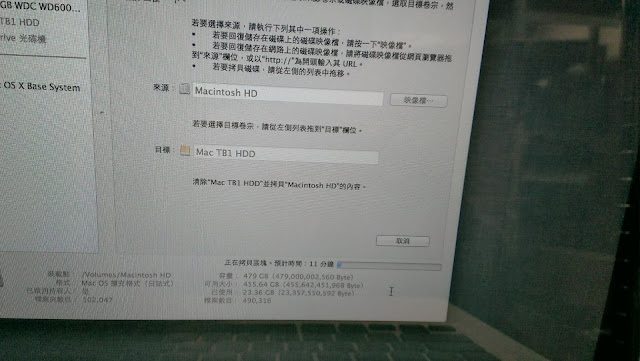
– 5. Open “Disk utility”, use “Restore” to clone original disk to HBA.
Build
driver package
• Change the “Build Configuration” to “Release” before release the
driver package.
• Create a pkg file with “PackageMaker”
– If you didn’t find it in disk, you can download “Auxiliary tools for
xcode” from Apple Developer Site.
• Create a dmg file with command
hdiutil create test.dmg -srcfolder test.pkg
• Enjoy!!